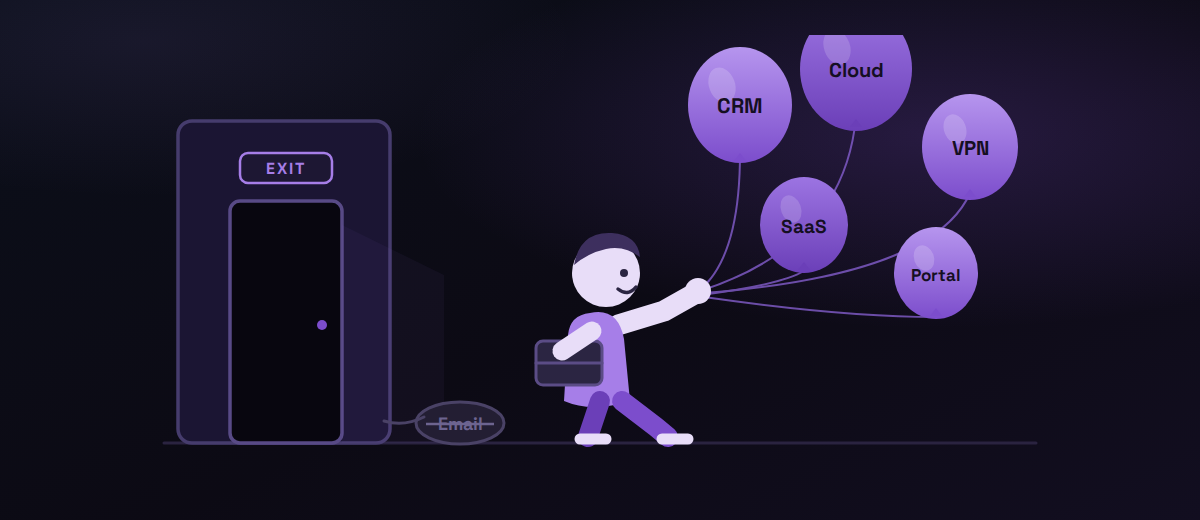
When an employee leaves a company, the process usually looks straightforward.
HR records the departure.
The manager is informed.
The laptop is returned.
The email account is disabled.
Done. Or is it?
For a 250–500-person organisation, an employee may have access to dozens of applications, devices, cloud services, shared resources and business systems. So disabling one account doesn’t necessarily mean removing access.
And that distinction matters.
NIST describes identity and access management as ensuring that people have the right access to the right resources at the right time — and specifically identifies terminated employees retaining access after leaving as a lifecycle-management problem.
The real problem isn’t that employees leave
People leave companies every day. The risk comes from what happens after they leave.
Imagine a 350-person company. An employee in the sales team resigns. On their final day:
- Their laptop is collected
- Their main company account is disabled
- Their manager takes over their responsibilities
Everyone assumes the offboarding is complete. But that employee also had access to the CRM, a project management platform, a cloud storage account, a customer portal, a remote-access system and several SaaS applications.
If those systems aren’t connected to a central identity process, someone has to remember to remove access from each one.
At 350 employees, “someone will remember” isn’t a security strategy.
Where offboarding becomes complicated
The challenge isn’t just removing access. It’s knowing what access exists in the first place.
Employees change roles. They join new projects. They receive access to new applications. They may retain permissions from previous responsibilities. Over time, access accumulates.
NIST recommends reviewing and removing privileges when they are no longer required. Its guidance for employee termination includes disabling system access, revoking credentials and retrieving security-related property.
That means offboarding shouldn’t be treated as a single HR event. It should be treated as an identity and access lifecycle event.
What a better offboarding process looks like
A mature process doesn’t rely on one person remembering a checklist. It creates a repeatable workflow.
-
HR triggers the process
The employee’s departure should initiate a defined IT workflow. HR doesn’t need to manage the technology — but HR and IT need a clear connection between the employment event and the access-removal process.
-
Identify what the employee can access
Before access is removed, the organisation needs visibility into:
Users→Devices→Applications→Permissions→CredentialsThe more fragmented the IT environment, the more difficult this becomes.
-
Remove access systematically
The goal isn’t simply to disable the employee’s primary login. Access should be removed from every system the employee no longer needs — cloud applications, remote access, SaaS platforms and other business systems.
-
Revoke credentials and sessions
Passwords aren’t the only consideration. Authentication methods and active access mechanisms need to be addressed as part of the offboarding process.
-
Secure the device
Getting the laptop back is only the beginning. The organisation should know:
- Who owns the device?
- Is it still managed?
- Is the previous user’s access removed?
- Is company data protected?
- Is the device ready for its next user?
-
Preserve what the business needs
Offboarding shouldn’t accidentally mean losing business information. The organisation may need to preserve access to relevant emails, documents, customer information or work files while removing the former employee’s personal access.
-
Have evidence that it happened
This is the part many organisations overlook. It’s one thing to say “we normally remove access when someone leaves.” It’s another to demonstrate:
“Here is what access they had, here is when it was removed, and here is how we verified it.”
That distinction becomes increasingly important as organisations grow.
CISA guidance similarly describes strong offboarding as a coordinated HR/IT process that maps personnel to assets and accounts, and removes access to company systems, applications and documents.
The bigger lesson: offboarding reveals the maturity of your IT
If your company cannot reliably remove an employee’s access, it probably doesn’t have complete visibility into employee access either.
And if you don’t have visibility into access, you may not have visibility into:
- Who can access sensitive systems
- Which employees have outdated permissions
- Which applications are outside central management
- Which devices are still associated with former users
- Where access has accumulated over time
That’s why employee offboarding is much bigger than the day someone leaves. It is a test of how well your organisation manages identity, devices and access throughout the employee lifecycle.
What should a 250–500 person company ask itself?
- 1If an employee left today, could we identify every system they can access?
- 2How quickly would their access be removed?
- 3What happens to applications that aren’t connected to our central identity system?
- 4Can we verify that their device and credentials have been properly handled?
- 5Could we demonstrate that the offboarding process actually happened?
If the answer to any of these is “I’m not sure,” that’s where the conversation should begin. Not with another checklist — with better IT processes.
Not sure how you'd answer those?
Take 30 minutes with us. We'll walk through how access is managed today and where the gaps are – no obligation.
This is where managed IT makes a difference
At a certain company size, managing identity, devices and access manually becomes increasingly difficult. A managed IT environment brings these areas together:
The objective isn’t simply to make an employee’s last day smoother. It’s to make the entire employee lifecycle — joining, changing roles and leaving — more controlled and predictable.
That’s the kind of environment PolarIT’s managed IT services are designed to support: device management, identity, MFA, patching and monitoring, with higher service levels extending into SSO, password management, user lifecycle management, Zero Trust and Conditional Access.
A simple test for your organisation
Think about the last employee who left your company. Now ask: could you prove that every unnecessary access was removed?
If the answer is yes, your process may be in good shape. If the answer is “probably,” it may be worth taking a closer look.
Because good IT security isn’t just about protecting the people who work for you today. It’s also about knowing what happens to their access when they no longer do.
Published in English. Sources: NIST identity & access management guidance and CISA offboarding guidance. Vil du have artiklen på dansk? Skriv til os.
Tilbage til Viden